 MathTypeX
What is MathTypeX?
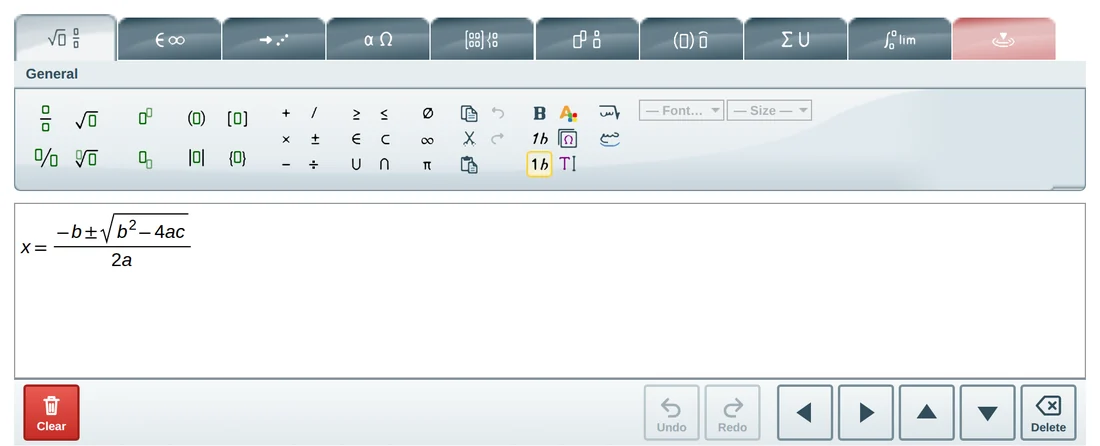
MathTypeX is an equation editor that runs in your web browser. You build a formula by clicking buttons or typing, see it drawn the way it is printed, and download it as a PNG image to use in documents, slides, worksheets or websites.
Is MathTypeX free?
Yes. Using MathTypeX in your browser is free: no sign-up, no payment and no trial period.
Do I need to install anything or create an account?
No. Open the page and start typing. There is nothing to install and no sign-up. It works in current versions of Chrome, Edge, Firefox and Safari, on computers, tablets and phones.
Can I write equations in Arabic?
Yes – this is one of the main features. MathTypeX writes right to left, has a fully translated Arabic interface, Arabic-Indic digits, Arabic fonts, and a palette of Arabic mathematical letters with derivative marks. See the Arabic math editor page.
How do I turn on Arabic?
Open the Arabic version of the editor for a fully Arabic interface. If you are already using the English editor, click the “Right to left editing” button in the General tab. The guide shows exactly where the buttons are.
How do I save my equation as an image?
Build the equation, open the PNG tab under the editor and click Download. You get a PNG image with a white background that you can paste into Word, Google Docs, PowerPoint or any web page.
Does MathTypeX upload my equations?
No. The editor and the image export run inside your browser, so your formulas are not sent to a server.
Does it work on a phone or tablet?
Yes. On small screens the editor switches to a touch layout with larger buttons, an on-screen arrow pad and a slide-up export bar.
What are the Arabic math letters?
They are the letter shapes used in printed Arabic mathematics, such as the letter forms used for variables and functions. MathTypeX includes a palette of them, drawn as vector shapes, so they look the same on every device and in every exported image.
Can I move a symbol by a pixel or two?
Yes. Select a letter, a mark or a group, open the contextual tab and use the four arrows – or press Ctrl + Shift + an arrow key. The position is saved inside the formula.
Can I put the editor on my own website?
Yes. It is a small script that you add to a page. See for websites for the short version.
Ready to write your first equation?
Open the full-page editor. It is the same editor you just tried, with the whole window to work in.