 MathTypeX
See it in 60 seconds
A short tour without sound: building a formula, turning on Arabic, the Arabic math letters, exact positioning and the PNG export.
What happens in the video (text version)
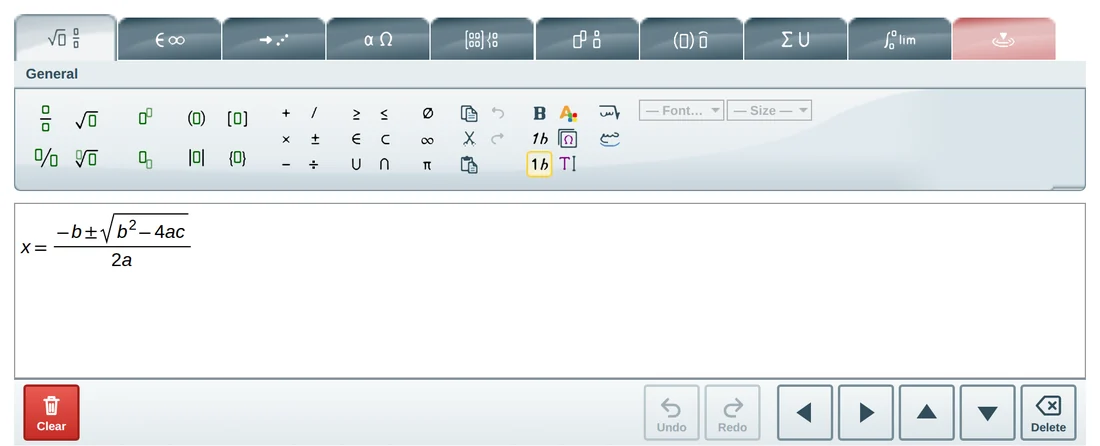
- The editor opens in English and the quadratic formula is built from the toolbar: a fraction, a square root and a power.
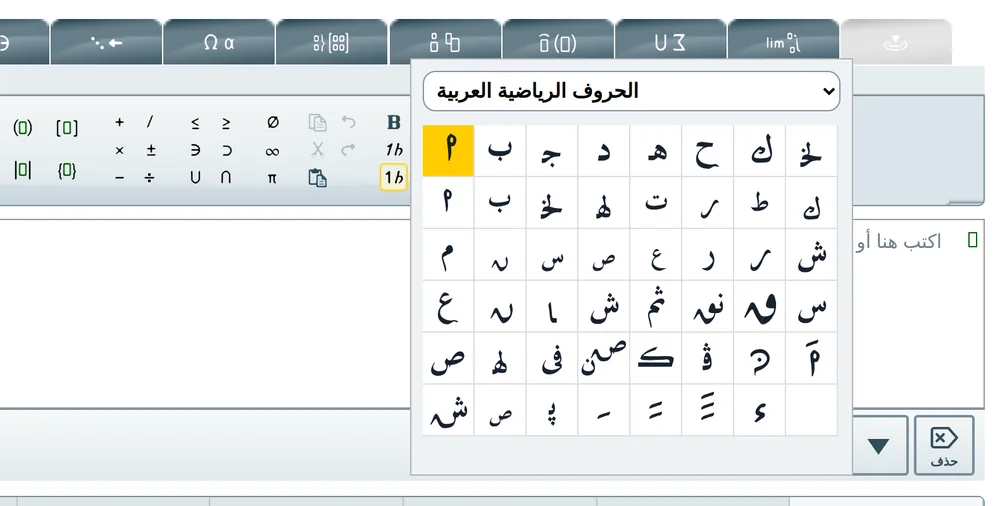
- Three buttons turn on Arabic: right-to-left editing, Arabic ligature and the special characters palette with the Arabic math letters.
- The same editor in Arabic: the formula is written from right to left and the interface is translated.
- A letter from the Arabic math letters palette receives a derivative mark above it, followed by ( س ).
- The contextual tab moves the mark one pixel at a time; the exact offset is saved in the formula.
- The finished formula is exported as a PNG image.
Try it yourself – right on this page
This is the real editor, not a picture. Click a button above the white area, or just type. Pick a ready-made example if you prefer, then download your equation as an image.
- 1Pick an example or click a toolbar button
- 2Type or edit the equation
- 3Download it as a PNG image
What you can do with MathTypeX
Everything you need to write mathematics for school, university, research or publishing – without learning any code.
Build with clicks or keys
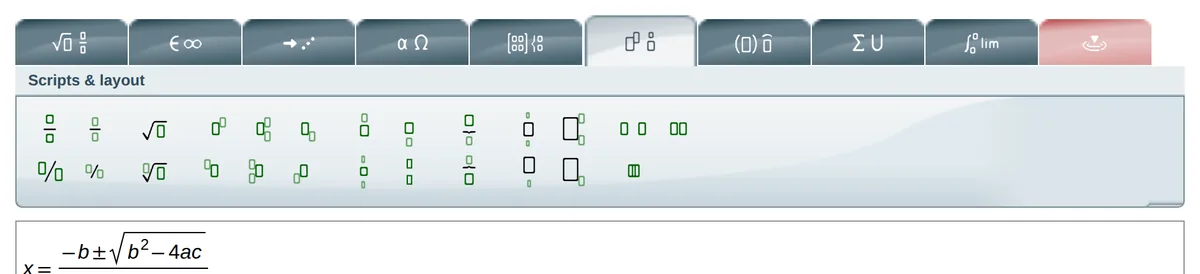
Fractions, roots, powers, matrices, integrals, sums and limits are one click away on the toolbar. Prefer the keyboard? Type your formula and use shortcuts.

Arabic mathematics
Right-to-left editing, a translated interface, Arabic-Indic digits, Arabic fonts and a palette of Arabic math letters with derivative marks.
More info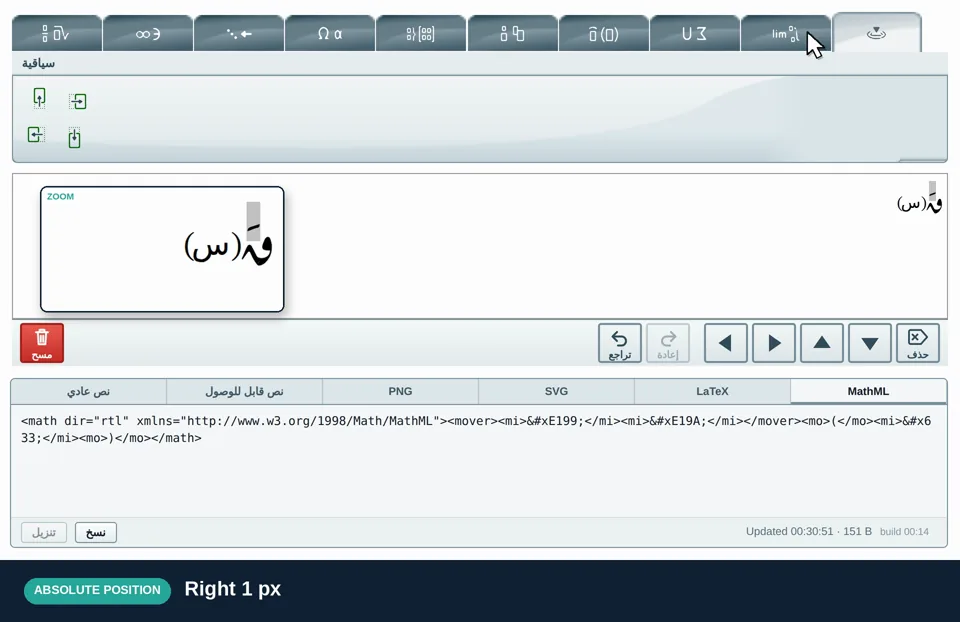
Exact positioning
Move any letter or mark pixel by pixel when printed mathematics needs it. The position is saved with the formula.
More info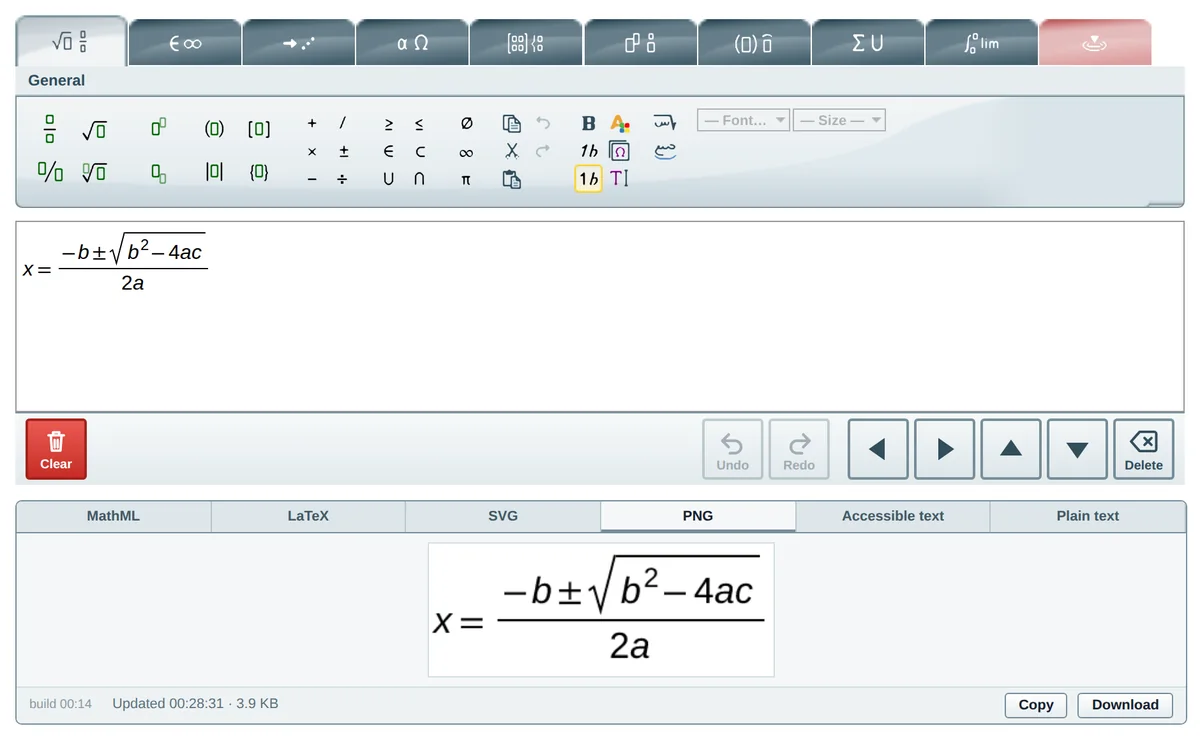
Download as an image
Export your equation as a crisp PNG with a white background. Paste it into Word, Google Docs, PowerPoint or a web page.
More infoEverything in one editor
Arabic is three buttons away
Switch on right-to-left writing, join Arabic letters into words and open the Arabic math letters – all from the General tab.
More info
Arabic mathematics, done properly
Mirrored structures, Arabic-Indic digits, Arabic fonts and a palette of Arabic math letters.
- Formulas grow from the right, and fractions, roots and brackets are mirrored the way Arabic mathematics is printed.
- A fully translated Arabic interface.
- Arabic-Indic digits (٠١٢٣…), and Arabic fonts that match in the editor and in exported images.
- A palette of Arabic mathematical letters, plus derivative marks that stand clear above a letter.
Phone, tablet or computer
The same editor adapts to your screen: big touch buttons and an on-screen arrow pad on small devices.
More info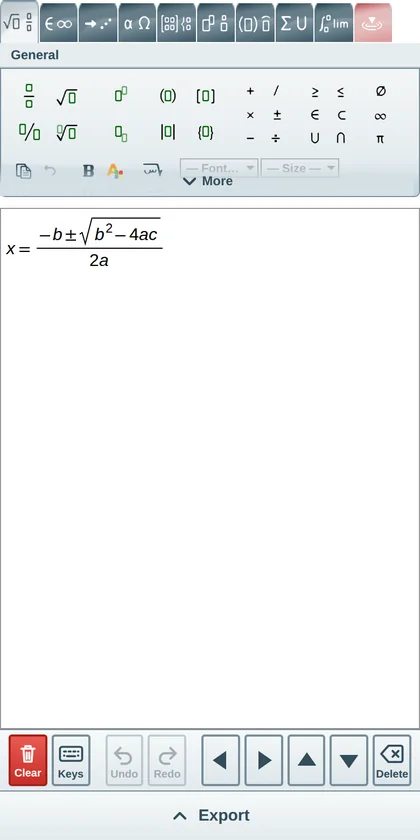
How it works
Three steps, no learning curve.
Build your equation
Click the toolbar buttons or type. The equation is drawn the way it is printed as you work.
Check it
Switch to Arabic, move a symbol, or undo and redo – all from the same editor.
Download the image
Open the PNG tab and click Download. Paste the picture wherever you need it.
Who it is for
Teachers and tutors
Prepare worksheets, exams and slides with clean equations – in English or Arabic.
Students
Write homework, reports and theses without fighting with formatting.
Researchers and authors
Produce equation images for papers, books and posters, with exact control over positions.
Web publishers
Add the editor to a learning site or blog with a small script.
Questions people ask
What is MathTypeX?
MathTypeX is an equation editor that runs in your web browser. You build a formula by clicking buttons or typing, see it drawn the way it is printed, and download it as a PNG image to use in documents, slides, worksheets or websites.
Is MathTypeX free?
Yes. Using MathTypeX in your browser is free: no sign-up, no payment and no trial period.
Do I need to install anything or create an account?
No. Open the page and start typing. There is nothing to install and no sign-up. It works in current versions of Chrome, Edge, Firefox and Safari, on computers, tablets and phones.
Can I write equations in Arabic?
Yes – this is one of the main features. MathTypeX writes right to left, has a fully translated Arabic interface, Arabic-Indic digits, Arabic fonts, and a palette of Arabic mathematical letters with derivative marks. See the Arabic math editor page.
How do I turn on Arabic?
Open the Arabic version of the editor for a fully Arabic interface. If you are already using the English editor, click the “Right to left editing” button in the General tab. The guide shows exactly where the buttons are.
Ready to write your first equation?
Open the full-page editor. It is the same editor you just tried, with the whole window to work in.